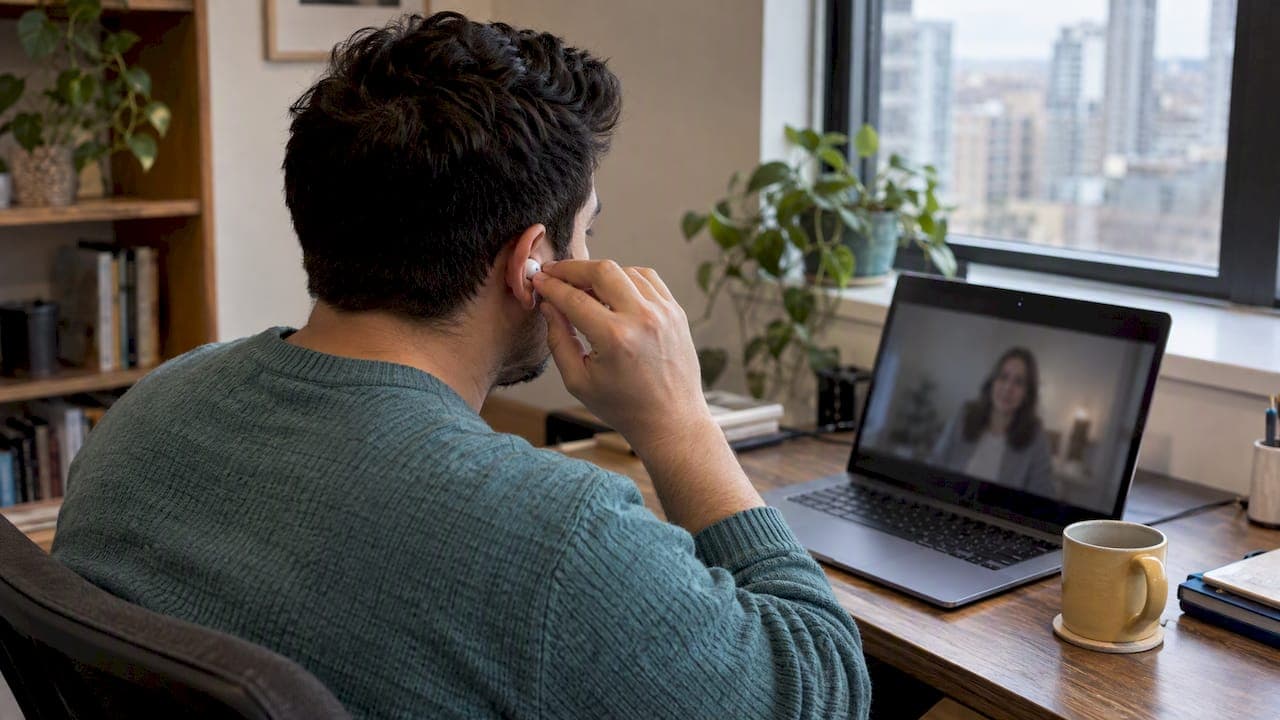
Good video therapy etiquette comes down to a few habits: find a private space, test your technology early, stay fully present, respect consent and recording limits, and agree on a backup plan. Following them protects your confidentiality and keeps the session focused on you. Below you will find a short checklist and clear steps for when something goes wrong.
TL;DR:
- If privacy is limited, tell your therapist and schedule a quieter time, use a parked car, or borrow a trusted friend’s spare room.
- Log in 5 to 10 minutes early, test audio and video, and agree on a phone fallback with your therapist before the session.
- Never record, screenshot, or share a session without documented permission; your therapist should also confirm your identity, location, and emergency contact.
- Discuss trauma processing beforehand, because clinicians may need to assess whether your surroundings are suitable and whether support will be available afterward.
How do you choose and prepare a private space for video therapy?
Privacy is the foundation of an open session, so start with the room. Pick a space with a door you can close, and tell the people you live with when your session begins and ends. A simple "Do Not Disturb" sign on the door can save you from an awkward interruption.
A few steps make a real difference:
- Wear headphones so your therapist's voice stays between the two of you.
- Move smart speakers and shared devices out of the room, since they may be listening.
- Choose a spot with a comfortable chair and a surface for water, tissues, or a notebook.
- Silence your phone, or place it face down outside your reach.
If true privacy is hard to find, you still have options. Schedule your session for when the house is quiet, run a white noise machine outside your door, or consider a parked car or a trusted friend's spare room. Tell your therapist about the limitation, because we can adjust how we work together. Our guide on how to prepare for your first therapy session offers more ideas for settling in.
What technology should you check before a video session?
Most delays are avoidable with a few minutes of preparation. Log in 5 to 10 minutes early so you can test your audio and video before the hour begins.
- Plug in your laptop or desktop, which is usually steadier than a phone or tablet.
- Close unnecessary apps and browser tabs to free up bandwidth.
- Raise the camera to eye level and put a light source in front of you, not behind.
- Test your microphone with headphones on, and find the mute and chat buttons.
- Share a phone number with your therapist so you can switch to a call if needed.
Pro Tip: Save the session link and your therapist's number in one note on your phone, so a dropped connection never costs you minutes of searching.
A 2022 literature review found that technology disruptions are common, but a pre-agreed backup plan, such as moving to an audio call, keeps them manageable. A small amount of preparation also helps you relax, and a relaxed client is better able to do the real work of therapy.

How should you present yourself during a video session?
Treat the session the way you would an in-person appointment. Dress comfortably but thoughtfully, stay seated, and keep your face clearly visible. Clinical guidance for videoconferencing suggests looking toward the camera, which creates a sense of eye contact, and wearing solid colors that are easy on the eye.
Some habits help the connection:
- Sit still enough to stay in frame, and avoid pacing or heavy fidgeting.
- Turn off notifications and close email so you are not tempted to multitask.
- Warn your therapist ahead of time if a short interruption is possible, such as a delivery.
- Use brief verbal cues like "that makes sense" or "I'm following," since subtle body language travels less well through a screen.
Looking at the camera feels odd at first, because you naturally watch your therapist's face. A good compromise is to glance at the camera when you are making an important point and to rest your eyes on the screen otherwise. Your therapist will understand either way.
What are the privacy, consent, and recording rules?
Video therapy carries the same confidentiality expectations as an office visit, with a few extra steps. Your therapist should explain consent for video work and for any recording. You should never record, screenshot, or share a session without documented permission, and nobody else should listen in unannounced. Our article on why therapy is confidential explains the reasoning in more depth.
At the start of a session, your therapist may confirm a few details:
- That we are speaking with the right person.
- Where you are physically located during the session.
- Your emergency contact and a number where we can reach you.
- Whether anyone else is in the room with you.
These steps follow telemental health best practices, which call for verifying identity and location and documenting emergency contacts. Choose a secure platform when you can, and tell your therapist if you only have shared or public Wi‑Fi so we can talk through the risks. If you worry about being overheard, put on headphones or reschedule.
Key point: Research with couples found that clear safety procedures and confidentiality discussions mattered to clients before starting online therapy.
What should you do if the connection drops or a safety concern comes up?
A plan made in advance removes the panic from a bad moment. Settle these points with your therapist before your first session, and revisit them if your situation changes. An NHS step-by-step guide stresses having a documented "what to do" plan for technical and clinical problems.
- If the call freezes or drops, refresh once and rejoin.
- If it still fails, switch to the phone number you agreed on.
- Make sure your therapist always knows your physical location.
- Agree on who to contact if an emergency arises, because emergency services may need to be contacted.
- After intense material, give yourself a few quiet minutes before returning to your day.
Pro Tip: Create a short unwind routine, such as a walk, a glass of water, or a few slow breaths, and plan it into your schedule right after the session.
Some work needs extra care online. Clinicians report that trauma processing may need a suitability check before it begins by video. If that applies to you, discuss beforehand whether your surroundings are suitable and support is available afterward.
What should you avoid during a video session?
A few habits quietly undermine the work, and they are easy to fix once you know about them:
- Recording, livestreaming, or inviting others in without explicit permission.
- Eating, driving, or doing chores during the session.
- Demanding that your therapist show their camera or background.
- Assuming a public hotspot or a shared device is private.
None of these are about perfection. If one happens by accident, simply say so and you and your therapist can adjust together. What matters is that both of you can trust the space.
How do scheduling and communication boundaries work in video therapy?
Respect for time is part of respect for the work. Log in on time, and let your therapist know as early as possible if you will be late or need to cancel, following whatever policy you agreed to.
- Use the agreed channels for scheduling and non-urgent messages.
- Save logistics for before or after the hour, so the session itself stays focused on you.
- Tell your therapist ahead of time if household interruptions are likely.
- Remember that urgent situations follow the emergency plan, not a regular message thread.
If your therapist feels the environment is not working, they may suggest ending early and trying again, which is a common expectation in teletherapy. It is a practical step, not a judgment. For a broader view of the session itself, see how therapy sessions work.
Why does this etiquette matter to me as a therapist?
Small, predictable steps protect safety and rapport. When your space is private and your technology works, you can stop thinking about the screen and start talking about what matters. Therapists expect to help with setup, so please never feel embarrassed to ask. If you have concerns about privacy or whether video suits you, bring them to your clinician. A good therapist will welcome that conversation.
— Wayne Dewhurst
This article is general information, not a substitute for advice from a qualified doctor. Consult a qualified healthcare professional about your own circumstances before acting on anything here.
FAQ
What not to say in a therapy session?
There is no forbidden topic in therapy. Honesty is what helps, even when it feels awkward or uncomfortable. If you are unsure how to raise something, tell your therapist that, and you can work out the words together.
What is a red flag in therapy?
Warning signs include a therapist who breaks confidentiality without explanation, ignores your boundaries, or will not discuss consent and emergency plans. In video therapy, a clinician who skips identity and location checks deserves a question. Best-practice guidance expects these steps.
What are some tips for therapists using telehealth?
Define when video is appropriate, document consent, and agree on a contingency plan before you begin. An NHS guide for clinicians recommends exactly this. Camera height, lighting, and headphones also improve the experience for clients.
Is video therapy as effective as meeting in person?
For many people, yes. A literature review found that satisfaction, perceived empathy, and relationship quality in video therapy were comparable to in-person care. Suitability still depends on your needs, which is why you should talk it through with your therapist first.
Sources
- Evidence of Phone vs Video-Conferencing for Mental Health Treatments: A Review of the Literature - PMC
- Best Practices in Videoconferencing-Based Telemental Health (April 2018)
- Tips for Clinicians/Counselors Providing Services Using Videoconferencing